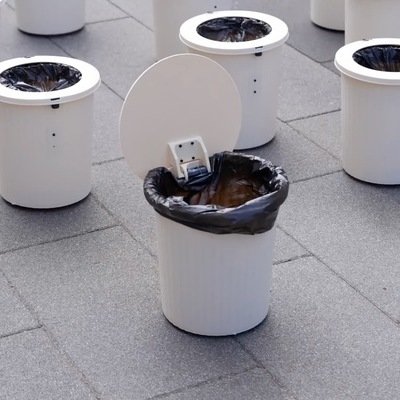
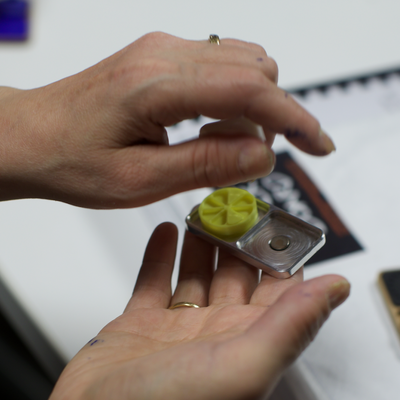
How do you project moving images onto water? That was the challenge faced by Red Paper Heart, a Brooklyn-based collective of designers and coders. Tasked by nightlife tracker UrbanDaddy with creating an event featuring "a memorable interactive experience in water," RPH decided to "create animations that partygoers could swim through."
Sixty-five thousand ping pong balls later, they had their solution:
The rumors were true, and we finally got to see the touchscreen cafe table produced by Korean manufacturer Moneual. It's officially called the Touch Table PC MTT300, and there's a little more to it than sticking a tablet on a table.
First off, the invisible stuff: It's an Intel/Windows 7/Android/Nvidia-powered affair, and features two hidden speakers, though the model hired to flog the table couldn't say what the audio was meant to accomplish—perhaps feedback for button touches? As for the visible, the screen has a resolution of 1920 x 1080. The demo models we saw all had the menu taking up the entire screen and oriented just one way; will it be split up and oriented for two people, or even four? Or must the menu be swipe-rotated towards each person who wants to order? Again, the rep didn't know. (I'm starting to get frustrated with this aspect of CES).
As for the physical design, the side of the table features two USB ports, a mic jack and a headphone jack. They're located underneath the table, presumably to avoid spills that run over the edges, and their presence is indicated by icons:
The forthcoming Touchscreen Cafe Table we posted on has had some good follow-up, and unsurprisingly, Moneual aren't the only ones to have visualized such a thing. Fans of the seminal '90s Japanese anime Cowboy Bebop may remember Spike and Jet ordering dishes off of a touchscreen restaurant table that presented holographic images of the dishes, and Core77 readers have chimed in with more examples. SCAD grad and interaction designer Clint Rule (update your Coroflot page please!) worked up a touchscreen cafe table concept video a couple of years ago, and at least one restaurant in London has something similar currently in existence. Whereas I was thinking of the table's potential purely as a transactional device, both Rule and London's Inamo eatery have taken it further.
To start with, Rule's concept integrates social features:
Inamo, an Asian-fusion restaurant in London's Soho district, opts for projection rather than touchscreen. Their system was created by a London-based company called E-Table Interactive, and though it's projection, it still contains some type of hand-tracking mechanism that provides similar functionality to a touchscreen.
Aside from cell phones and tablets, we've seen touchscreens integrated into voting machines, vending machines and musical devices. Perceptive Pixel's Jeff Han integrated one into an industrial designer's dream set-up and Adam Benton proposed this desk I'd kill for. But if you look at the physical properties of a proper touchscreen--it's a flat surface that we can use for communications, and the "buttons" disappear when we don't need them—perhaps its true killer app is in restaurants.
At least, that's what Korean electronics company Moneual is hoping, with the rumored forthcoming release of their touchscreen cafe table. With a touchscreen integrated into a table, restaurants could do away with paper menus, instead displaying dish descriptions and photos on demand. Diners would never have to flag a waiter down. And with the NFC technology that Moneual will reportedly integrate into the table, you could pay the bill without having to wait for the check. You'd still need a runner to dole out the chow and a busboy to clean up afterwards, but as a former waiter myself, I'd wholeheartedly vote for an object that made the waiter obsolete.
The rumor mill says Moneual will pull the wraps off of the table at this year's CES, where it just so happens Core77 will be. We'll keep you posted if we come across it.
Whether or not you're interested in videogames, this device is kind of fascinating from an industrial design/interface design point of view. The PhoneJoy Play is essentially a portable input device with a slick mechanical design: The two holdable halves can spread sideways, connected by a telescoping mechanism. Your smartphone or mini-tablet can then be "docked" in the middle, and the variety of buttons and motion pads interact with your device wirelessly.
This past weekend I had a car trip to make into unfamiliar territory, and I finally got to try out the newly-accepted Google Maps on my iPhone.
Google has dumped a lot of time, money and effort into amassing and updating the world's best consumer-targeted map database, and generously provided it for free. I don't want to be one of those people that complains about free stuff, like the whiners who moan about Facebook features—what do you, want your money back?—but I do have to point out how a single poor design decision can needlessly hamper an otherwise great product.
Nearly every unfamiliar-destination car trip I've taken in the past three years has been guided by Google Maps. I have the directions in my phone, which I prop onto the dashboard, in "map" view, so I can see at a glance where I am along the route.
Well, for this iteration the graphic designers have decided to make the route line blue. They've also decided to make the dot that represents you blue as well. The "you" dot doesn't blink, or have a strong drop shadow, or feature a reticle around it, and it's just a hair-width thicker than the route line, which makes it virtually impossible, while driving, to see where you are along the route.
What were they thinking? Why on Earth wouldn't you make the dot a different color, or provide some kind of graphic distinction? Isn't visual feedback basically UI Design 101? Does no one observe how people actually use the product in the real world? This is absolutely mind-boggling to me.
After spending millions of dollars and man-hours to get this product right, not a single person working at the company had the foresight to make a zero-cost change that would vastly improve the experience. It irritates me to no end when one of the world's more powerful companies ignores basic design common sense.
While yesterday's date of 12/12/12 was good luck for the numerically superstitious, it's today's date of 12/13 that's looking auspicious for me: Google Maps for the iPhone was finally made available today, at its good ol' price of zero dollars.
The Apple Maps debacle was a clear reminder that there are some areas where Apple can't out-design the competition, namely in raw data. Apple has my loyalty with most of the stuff they make, due to their unrelenting focus on the user experience: As I've steadily populated my parents' house, several states away, with Apple products over the years, I've experienced a steady decrease in those painful parental tech-support calls. But the Maps mess made clear that blind, across-the-board brand loyalty isn't the way to go.
So yes, no more trying to get crosstown directions and winding up with a destination in Kentucky. No more having to type every last letter of an address because Siri's silent partner is incapable of basic logic. The downside is that yes, there's no way to access Google Maps with Siri, meaning more typing; but I'd rather let my fingers do the walking, rather than my feet leading me in the wrong direction.
Interaction designer Ed Lea's visual metaphor for web products made rounds earlier this year, but it's definitely worth checking out if you haven't seen it yet. Thankfully, unlike cereal, digital products persist even after consumption...
Your cell phone knows where you are through triangulation. A Hungary-based company called Leonar3Do has taken that principle and applied it to a 3D mouse: by integrating several antennae into the form factor, a reading device can determine, with pinpoint accuracy, exactly where the mouse is in space. Have a look:
Remember the LIFX, the wi-fi-enabled smart LED bulb? While its Kickstarter funding period ended two weeks ago (well past its $100,000 target with $1.3 mil in pledges), there's no word on when production will begin; on November 12th the LIFX team wrote that "It's not possible to make final [production decisions] until we perform detailed thermal modeling and standardized measurements of light output, color rendering index, white balance agility, etc."
In the meantime Philips has been stumping for their own wi-fi-enabled, color changing offering, the Hue bulb. Interestingly, one of their marketing points is that you can select the output color (using an iDevice) via a method that will be familiar to Photoshop eyedrop tool users. Check it out:
Being the corporate giant that they are, Philips has adopted an interesting marketing technique: They've chosen to make the device available only through Apple Stores (both online and brick-and-mortar), taking preorders now and shipping in several months. At 200 bucks for a three-bulb starter pack the things ain't cheap, though they're about the same cost as the LIFX's initial $69 Kickstarter buy-in.
Rogue retailers, by the way, are re-selling Hues through Amazon at an usurious $100 per bulb; it remains to be seen if Philips will crack down.
On LIFX's Kickstarter comments page, some expressed skepticism about this project; but internet trollage aside, if Philips has thrown their weight behind a similar concept, you can bet they've concluded there's a market. Now we'll have to see whether it's David or Goliath that wins this early battle in the smartbulb war.
Continuing from my earlier scattering of field notes, in this post, I want to turn my attentions to the rural areas of Uganda and some of the uses of technology I observed. Dubbed the "Pearl of Africa", the country has rich, fertile soil with great potential. Agriculture is a vital component of the economy, and according to Wikipedia, nearly 30% of its exports are coffee alone. Anecdotally speaking, most people I meet in Kampala, the capital, have family ties in rural areas—a reflection of the fact that most of the population is rural.
As with my previous post, my field notes often take the form of Instagram. Although I eventually type up more thorough notes, I find the practice of taking live field notes to be beneficialhttp://www.ictworks.org/news/2011/12/23/avoiding-digital-divide-hype-using-mobile-phones-developmentboth because they allow me to capture my initial thoughts and reactions while they're fresh in my head and because they spark dialogue and conversations with social media friends who get me thinking differently about what I see.
So much of food in rural areas is experienced in bags—stored and shipped in bags, purchased in bags, even sometimes cooked with bags. Known as kaveera, plastic bags are abundant in Uganda. The Uganda High Court recently ruled in favor banning such bags, a trend across East Africa, but it remains to be seen how the ban could be enforced. This is a story of technology but not communications technology. I couldn't help but wonder: what could technology provide that helps balance the twin needs of reducing environmental impact and providing accessible food packaging?
While spending time in Oyam, in northern Uganda, I saw a number of smart phones being used. This Nokia could play videos and music, display ebooks and of course capture photos, but it's not connected to a data plan—nor were most smart phones I encountered in the region. Rather, individuals would find opportunities to access an Internet-enabled computer (most often at a net cafe) in nearby towns that do have the Internet, and they would download materials, which could range from Nigerian comedies dubbed in Luo, the local language, to educational materials about agriculture and business. In this regard, Ugandans used the device more like an iPod... which happened to have phone capabilities.
In rural areas, I tend to rely much more often on my feature phone than on computers and my iPhone. It gives me an appreciation for the disruptive role of mobile phones. Although our driver (whose stereo you might recognize from the previous post) lives in the city, he spends much of his time in the field. But that doesn't stop his business: armed with multiple phones and phone plans, he's developed a 'cocktail of special plans that allow him to make multiple calls at low rates. He keeps his phone charged by his car and whenever we're stopped, he's constantly making calls and conducting business.
Tom Taylor is a technologist and engineer who enjoys working "in the fuzzy space between matter and radiation," and he's got a neat Mac app (probably most fun for those who travel a lot for work): Satellite Eyes. The simple application changes your desktop wallpaper to a satellite photo of your current location as soon as you connect to the internet.
"It features a number of different map styles, ranging from aerial photography to abstract watercolors," writes Taylor. "And if you have multiple monitors, it will take advantage of the full width, spanning images across them."
Surprisingly it does not use Google Maps' images, and unsurprisingly it doesn't use Apple Maps' images either; data comes from OpenStreetMap, Bing Maps and San-Francisco-based design/technology studio Stamen Design.
Best of all, London-based Taylor has made the app's price conversion nice and easy: £0 equals $0.
As you might have noticed, we've had quite a bit of Asian design coverage lately (with a few more stories to come): between the second annual Beijing Design Week, a trip to Shanghai for Interior Lifestyle China and last week's design events in Tokyo, we're hoping to bring you the best of design from the Eastern Hemisphere this fall.
Of course, I'll be the first to admit that our coverage hasn't been quite as quick as we'd like, largely due to the speed bump of the language barrier. At least two of your friendly Core77 Editors speak passable Mandarin, but when it comes to parsing large amounts of technical information, the process becomes significantly more labor-intensive than your average blogpost... which is precisely why I was interested to learn that Microsoft Research is on the case.
In a recent talk in Tianjin, China, Chief Research Officer Rick Rashid (no relation to Karim) presented their latest breakthrough in speech recognition technology, a significant improvement from the 20–25% error of current software. Working with a team from the University of Toronto, Microsoft Research has "reduced the word error rate for speech by over 30% compared to previous methods. This means that rather than having one word in 4 or 5 incorrect, now the error rate is one word in 7 or 8."
In the late 1970s a group of researchers at Carnegie Mellon University made a significant breakthrough in speech recognition using a technique called hidden Markov modeling which allowed them to use training data from many speakers to build statistical speech models that were much more robust. As a result, over the last 30 years speech systems have gotten better and better. In the last 10 years the combination of better methods, faster computers and the ability to process dramatically more data has led to many practical uses.
Just over two years ago, researchers at Microsoft Research and the University of Toronto made another breakthrough. By using a technique called Deep Neural Networks, which is patterned after human brain behavior, researchers were able to train more discriminative and better speech recognizers than previous methods.
Once Rashid has gotten the audience up to speed, he starts discussing how current technology is implemented in extant translation services (5:03). "It happens in two steps," he explains. "The first takes my words and finds the Chinese equivalents, and while non-trivial, this is the easy part. The second reorders the words to be appropriate for Chinese, an important step for correct translation between languages."
Short though it may be, the talk is a slow build of relatively dry subject matter until Rashid gets to the topic at hand at 6:45: "Now the last step that I want to take is to be able to speak to you in Chinese." But listening to him talk for those first seven-and-a-half minutes is exactly the point: the software has extrapolated Rashid's voice from an hour-long speech sample, and it modulates the translated audio based on his English speech patterns.
Thus, I recommend watching (or at least listening) to the video from the beginning to get a sense for Rashid's inflection and timbre... but if you're in some kind of hurry, here's the payoff:
How do you post a YouTube video that gets nearly five million hits in 24 hours? Simple: Record a touchscreen voting machine in Pennsylvania that apparently wants to choose your candidate for you.
The Pennsylvania man who posted this video claimed that try as he might, every time he tapped Obama, it selected Romney instead:
Thinking the calibration was off, he then tapped the option below Obama, hoping that would activate his choice. It didn't.
I initially selected Obama but Romney was highlighted. I assumed it was being picky so I deselected Romney and tried Obama again, this time more carefully, and still got Romney. Being a software developer, I immediately went into troubleshoot mode. I first thought the calibration was off and tried selecting Jill Stein to actually highlight Obama. Nope. Jill Stein was selected just fine. Next I deselected her and started at the top of Romney's name and started tapping very closely together to find the 'active areas'. From the top of Romney's button down to the bottom of the black checkbox beside Obama's name was all active for Romney. From the bottom of that same checkbox to the bottom of the Obama button (basically a small white sliver) is what let me choose Obama. Stein's button was fine. All other buttons worked fine.
I asked the voters on either side of me if they had any problems and they reported they did not. I then called over a volunteer to have a look at it. She him hawed for a bit then calmly said "It's nothing to worry about, everything will be OK." and went back to what she was doing. I then recorded this video.
Faulty touchscreen, fat fingers, or something more menacing? If it was the latter, it didn't work: Obama had Pennsylvania's 21 electoral votes in his pocket by election's end.
The smartphones and tablets many of us use are intensely personal devices. But a Tokyo University of Technology research group has developed an interesting way that multiple users could combine their devices' displays, Voltron-style, for a more communal experience.
A concept video from earlier this year depicted two iPads that, when placed adjacent, created one larger display; but that was a mockup. This here interface, called Pinch, is the real deal:
At the very least, it would be neat to transfer photos, video, data or even currency from one phone to another in this manner. And if smartphones or tablets see uptake in developing nations at the rate that cellphones are catching on now, it would be cool to eventually see classrooms full of students that could combine their devices into television- or blackboard-sized displays.
The research group is currently giving the Pinch system to various developers, presumably under license, and asking them to come up with apps for it.
With any luck, design like this is on the way out. [image via creative bloq]
While Hurricane Sandy wreaked havoc on Monday, Apple experienced some tumult of its own in the form of an executive shake-up. It's significant in that the new order will influence the company's design aesthetic.
Here's what it boils down to:
Scott Forstall, the SVP in charge of iOS, was a big fan of skeuomorphism. That's the tacky design practice whereby you place visual elements from old media into new media, i.e., needlessly adding graphics of a spiral binding at the edge of the screen to make an app look like a physical notebook. As per his position at Apple, Forstall had the juice to have skeuomorphism integrated into the software of the products.
Jonathan Ive is reportedly not a fan of skeuomorphism, but as his domain was previously limited primarily to the physical design of Apple's products, there was little he could do about it.
Well, Forstall's now out, and Ive is further in. On Monday it was announced that Forstall's (probably forced) departure is scheduled for 2013, and Ive's domain will expand to include taking charge of Apple's Human Interface, i.e., UI and UX.
That's an awesome move on Apple's part. Yes, I'm biased; I think skeuomorphism sucks. It doesn't add anything to my experience to have the Notes app look like a legal pad, or to have the top of my Calendar app look like it's made out of desk-ledger leather. And the Address Book software is terrible; it's made to look like a book, yet doesn't work like one—there's no easy way to flip pages from the All Contacts view.
Unrelated to skeuomorphism, try adding a reminder in Calendar and setting an alarm to go off five minutes earlier than the event; it requires an absurd amount of mouseclicks to accomplish and you cannot just "tab" to the "minutes" field. There's no way this feature was designed by a designer.
Critics of the move who say that Ive's experience is limited to physical design, do not understand that industrial design is meant to encompass the user's experience in total, and wrongly assume that Ive is some kind of glorified draftsman. No, Ive taking Human Interface over can only be good for the company, and I believe we'll at last see Apple's software catching up to the hardware.
"This is a doubling down on integrating hardware and software design," industry analyst Patrick Moorhead told Computerworld. "There's now just one decision maker."
Earlier this month at the annual User Interface Software and Technology Conference, a four-person Autodesk Research team presented the Magic Finger, a fingertip-mounted input device "which supports always-available input."
A couple of things distinguish it from a mere finger-mounted mouse: One, it contains a tiny camera that can distinguish different textures, enabling context-aware actions; for example, the device could be programmed to send different commands depending on what it was touching, i.e. swiping your cotton shirt answers your cell phone, touching your face triggers the voice-rec, et cetera. Two, as far as we can tell the user is meant to wear it constantly, like a ringer, providing a persistent means of both scanning and providing gesture-based input to the device of your choice. (As one example, Engadget points out that it could make up for Google Glasses' lack of an input device.)
As the team writes,
Recent years have seen the introduction of a significant number of new devices capable of touch input. While this modality has succeeded in bringing input to new niches and devices, its utility faces the fundamental limitation that the input area is confined to the range of the touch sensor. A variety of technologies have been proposed to allow touch input to be carried-out on surfaces which are not themselves capable of sensing touch, such as walls, tables, an arbitrary piece of paper or even on a user's own body.
...To overcome [other input devices'] inherent limitations, we propose finger instrumentation, where we invert the relationship between finger and sensing surface: with Magic Finger, we instrument the user's finger itself, rather than the surface it is touching. By making this simple change, users of Magic Finger can have virtually unlimited touch interactions with any surface, without the need for torso- worn or body-mounted cameras, or suffer problems of occluded sensors.
In the video below, the team demonstrates their projected real-world applications. (We don't know what the budget for this project was, but we can tell you they, um, didn't spend anything on actors' fees.)
The second Seattle Designers Accord Town Hall was held October 11th at Carbon Design Group's studio. The event was organized by Carbon, Modern Species and AIGA Seattle. The theme of the night was "Are We There Yet?" reflecting the seemingly endless journey of designers striving to produce sustainable results for willing clients. The evening kicked off with refreshments and networking, and then moved on to the main events. Linda Wagner, of Carbon, and Gage Mitchell, of both Modern Species and AIGA Seattle, shared the emcee duties. Four speakers delivered short presentations to address the topic from their perspective (industrial design, graphic design, architecture, or business), before continuing the conversation in breakout sessions.
Ashley Arhart
Creative Director of Consumer Experience at Hornall Anderson
Ashley gets props for bringing, well, props. Her message for the evening was that sustainable design is only successful if the consumer likes it. Case in point was the incredibly noisy Sun Chips bag. Compostable, yes, but hearing it in person drove home the problem—nobody wants to broadcast that they're snacking. Ashley went on to ruffle every print designer in attendance by declaring the book is dead... as an object of information, but alive as an object of desire. To bring this home, she used the example of Wantful, a company that allows you to create a beautiful personalized book filled with a curated selection of gifts from which a recipient can pick. By blending digital and print, Wantful delivers a richer, more meaningful experience. And meaningful experiences are vital because, the success of a product is determined by how it connects with people. (Ashley also wrote up a great detailed post about her breakout session which you can find here.)
Kirk Myers
Corporate Social Responsibility Manager at REI
Kirk's job is to design business systems that provide sustainable outcomes. One of REI's greatest successes in this endeavor came from partnering with other outdoor apparel manufacturers like Patagonia and Timberland to create the HIGG Index, which measurers the impact of their products. By working together, these companies were able to give their vendors an assessment tool and a very large incentive to use it. Kirk pointed out that the true focus of any company is whether or not a customer will buy a product. A sustainable product isn't sustainable at all if it doesn't sell. Method is a company that gets this in spades. They aren't successful because they create sustainable products. They're successful because they create better products with a combination of design, functionality, and affordability that makes them stand out. Sustainable products must be better all around.
Back when I was a bona fide CAD monkey, I had carpal tunnel like the rest of us. After successfully convincing my employer that they needed to ditch the mice and get Wacom tablets, the wrist pain went away.
For intensive work, the pen is such a superior form factor to the mouse that Swedish company Penclic melded the two to create a new type of input device. It looks a little strange—something like a pen sitting in an inkwell—but that hasn't stopped it from being nominated for "Best Work Environment Product" by the Swedish award of the same name. "The nomination...presents an excellent opportunity to increase awareness about our device's many advantages over the traditional mouse, both ergonomically and precision-wise," said Penclic CEO Stina Wahlqvist.
The Penclic mouse's ergonomic benefits are achieved by eliminating the need for the unnatural, twirling arm movements associated with traditional mice. The pen-shaped design extends the body's natural movements, allowing the user to work with the underarm kept linear, in a rested, flat position against the work surface.
But the advantages go beyond ergonomics. The device not only looks, feels and moves like a pen, but it also has a pen-like grip that provides a level of precision that makes it well-suited for demanding creative tasks such as photography, design and architecture. Advanced technology in combination with the ergonomic design delivers fast and precise cursor movements with minimal effort and hand motion.
The scroll wheel placement doesn't seem ideal—as you can see in the vid, when she uses the wheel, the base moves around a bit, which I can see causing havoc with fine-point navigation—but I'm still looking forward to trying one of these out.
As a designer, you've gotta love the Wild West period of a new technology, where everybody's still figuring out the form factor with brazen experimentation. Cell phones, particularly the ones out of Finland and Japan, were fun to look at in the '90s; those days are over now that most are content with aping a certain famous black rectangle.
Cell phone experimentation may be done for now, but a variety of companies are still casting about for form factors for the nascent technology of gesture control interfaces. Leap Motion's got a silver rectangle, the PredictGaze guys are going with what's already built into your device, and now Microsoft is advancing beyond the Kinect with this experimental wrist-mounted device called Digits. (It's clunky-looking now, but let's not forget that cell phones in the '80s came attached to briefcases.) Take a look at what it can do:
When we first saw the Leap gesture control interface for the Mac, we were blown away. Earlier than that, gamers and hackers were taken by the Wii and the Kinect. Now a new group of creators is working on the latest in gesture-control interfaces, which ought to have an advantage over the current competition: It's software-based and requires no separate pieces of hardware, instead relying on the cameras now built into virtually every computer, tablet and smartphone.
PredictGaze is the brainchild of Aakash Jain, Abhilekh Agarwal, and Saurav Kumar, three computer scientists and friends based in California. Using a series of algorithms, their software analyzes images captured from your device's camera—even in low light and near darkness, conditions that have stymied their competition—to deliver useful results. Face recognition, gesture control and eye-tracking are all things we've heard of before, but PredictGaze is wrapping it all into a single package, and making it scaleable as per the device it's installed in.
Their system holds rich promise: Imagine being able to sit in front of your computer, or hold up your phone, and it knows its you through facial recognition, so unlocks itself with no need for a password. Or watching your television, and when you get up to go to the bathroom, it pauses; it resumes play when you've sat back down. Or being able to silence the audio by bringing your finger to your lips. And the eye-tracking-controlled browsing, while still a bit clunky looking in their demo, will be a godsend for paraplegics once it's perfected.
Here are a few videos to give you an idea of what PredictGaze is currently capable of. In this first one, "Gaze Enabled Browser Demo," you don't need to watch more than 10 seconds of it to "get it." (The remainder of the two-minute video has the test subject perform the same up-down scrolling while they gradually dim the lights.)
...which, as the paper notes, would be helpful while driving (hence the image above).
Next up: clinical trials testing Hello Kitty vs Adderall. Also maybe this explains why school admin offices always seemed to have "hang-in-there" posters up.
Although not technically part of the London Design Festival at all, the proximity of the Science Museum to all the designerly action in South West London this month, has resulted in many a festival goer straying over to the Google Web Lab exhibition that promises—a smidgen ambitiously, we soon discovered—to 'bring the extraordinary workings of the internet to life'.
Keen to fill our minds with the secrets and web wizardry of everyone's favourite internet Goliath—dreaming of the multi-millions our future tech start-ups would make, when endowed with this supreme knowledge—we bounded down to the dimly lit basement and entered 'the lab.'
We can't believe there's less than one week left before this year's Interaction Awards entry period closes! And as you IxDA members busily ready your entries, we are proud to announce that Adobe Typkit has joined in on the fun as a sponsor. Their involvement will help support the costs of this year's Interaction Awards jury session in New York City, as well as the subsequent documentaries highlighting this year's Interaction Awards winning work.
And if you want a taste of what the jury members Marc Rettig, Founder & Principal at Fit Associates (USA), Steve Baty (Australia), Matt Cottam (The Netherlands), Liz Danzico (USA), Matias Duarte (USA), Dan Hill (Finland) and Anab Jain (UK) might have to contend with, see the below short film covering last year's jury deliberations.
Remember, the last day to enter the IxDA's Interaction Awards is on Monday, October 1st. We'll be live at the Interaction Awards celebrations at the IxDA Conference in Toronto this coming January and we look forward to seeing you all there!
For his diploma project at the Academy of Fine Arts in Katowice, Polish designer Waldek Wegrzyn has created "Elektrobiblioteka," a bibliomorphic (yes I just made that up) interface for a digital publication. The sheer physicality of the printed volume is antithetical to the pixelated simulacra of the tablet or e-ink reader, and labor-intensive execution of the 'reverse-engineered' pagination, documented in the video below, seems to be well worth the effort.
Wegrzyn cites El Lissitzky as his main inspiration; specifically, he refers to a text called The topography of typography, first published in Merz No. 4 (Hannover: July 1923) and excerpted here:
1. The words on the printed surface are taken in by seeing, not by hearing.
2. One communicates meanings through the convention of words; meaning attains form through letters.
3. Economy of expression: optics not phonetics.
4. The design of the book-space, set according to the constraints of printing mechanics, must correspond to the tensions and pressures of content.
5. The design of the book-space using process blocks which issue from the new optics. The supernatural reality of the perfected eye.
6. The continuous sequence of pages: the bioscopic book.
7. The new book demands the new writer. Inkpot and quill-pen are dead.
8. The printed surface transcends space and time. The printed surface, the infinity of books, must be transcended. THE ELECTRO-LIBRARY.
The project website is currently only available in Polish, and while the consummate visual design transcends the language barrier, I'm curious about the content itself...
Mo Duffy is a senior interaction designer at Red Hat, a billion dollar company that is the world's leading open source and Linux provider. I met Mo this past spring when we spoke on a panel at SxSW. I was struck by her insights into her profession and how those insights relate to all design professions. Not only does she get into the nitty gritty of the politics of the workplace and the realities of usability testing, but she is a passionate advocate for open source and the democratization of design.
* * *
Xanthe Matychak: How do you define Interaction Design?
Mo Duffy: I define interaction design to mean the design of systems and interfaces where humans and computers interact with each other, and, more importantly, where human beings interact with each other mediated by computer systems.
And the goal of interaction design, in my opinion, is to be as invisible as possible. Whenever a person is jerked into thinking about their computer system or their software rather than the task they are trying to do, such as getting a video chat with a loved one to work or checking their work email, that's when poor interaction design is noticed. Good interaction design is transparent because it allows for an experience so seamless, you don't notice it. It's invisible!
What challenges did you have when you first started and how did you overcome them?
I had a few challenges when I first started. I came from a graduate program that, at least in the track I ended up following, had a very strong quantitative bent to it: useful for generating HCI research and running a usability lab, yes, but I wasn't interested in either, as it turns out. In my program I started worrying that pumping out awkwardly-written research papers in pricey academic journals developers wouldn't or couldn't afford was not going to make a huge difference in open source software, and I started worrying that I was wasting my time.
It also felt like the maxim that you must run hours of rigorous usability tests on every piece of software before it's ever put in front of an end user had somehow been drilled into my head, and when I finally found myself in industry, I discovered the dirty secret that what I was taught regarding usability testing and how it happens normally is hardly ever the case in reality, at least in industry. Most testing that I've encountered or been involved with has aligned far most closely with Steve Krug's methods in Don't Make Me Think than any of the rigorous multivariate statistical analysis and eye-tracking studies I was involved with in my academic program. I feel kind of dirty and bad to admit this, but cheap and quick testing works, and sometimes you need to get a product out the door and you aren't in a position to stop the train no matter how much you think it needs more time and polish. You feel lucky you got any sort of testing in at all. There are so many forces that affect software, well beyond usability, and they deserve respect as well: for example, if you delay and delay until you have the most wonderful, engaging user experience in a piece of software that connects with a completely irrelevant technology—say, the world's best VHS player—did you make the right call? Coming to terms with non-textbook reality here took me a long while and was a big challenge.
Another challenge that was at least in part unique to those of us who work on open source projects as designers—I found out that as an interaction designer, you really have to learn to market and sell your ideas to the developers and other open source community contributors involved in a project. There is no management chain and expectations that a developer must write the software the way your design spec states simply because you're The Designer. The challenge was learning (the hard way) that a great interaction design is not enough: if you want it to happen, you need to develop some salesmanship, build up trust, use your research to back your designs up, and have a real enthusiasm and excitement for what you do in order to inspire the developers and other folks involved to pick that design up and make it into working software.
In my first job as an interaction designer, I was the first designer several of the developers had worked with. That was a bit of a challenge, because at times I had to take on an educational role, advocating for design itself, when I felt I didn't even really have enough experience to be in that position. I still sometimes get confusion over what an interaction designer is—thanks people who keep coining new terms for the discipline—to the point I get a continuous stream of logo and icon design requests. The software development process the team followed didn't really account for design or usability testing in the schedule, nor did the business processes involve it much at all. At times I felt I had to fight to interject myself into the process or risk being ignored by it, but I definitely had sincere enthusiasm both for the project and the team and I think that helped me bust through a lot of these kinds of barriers.